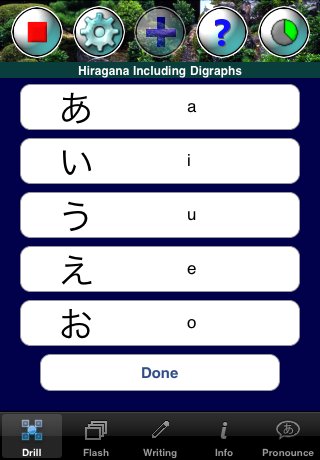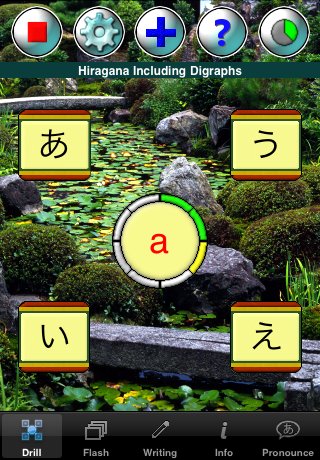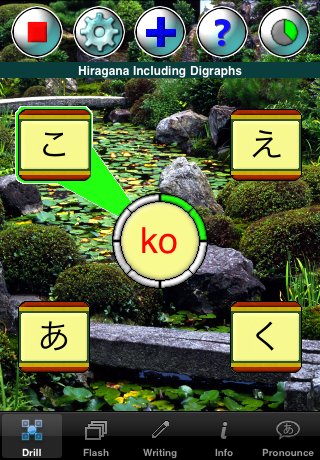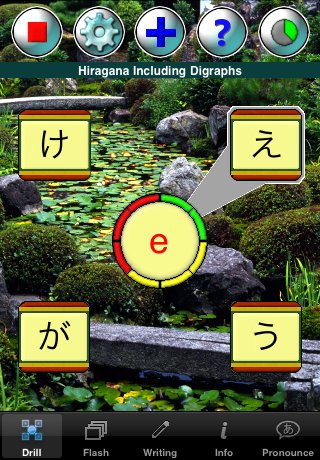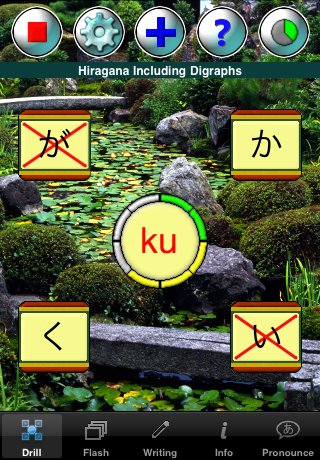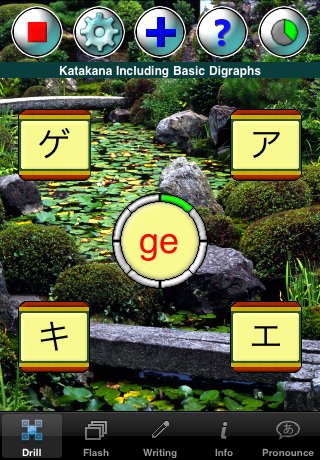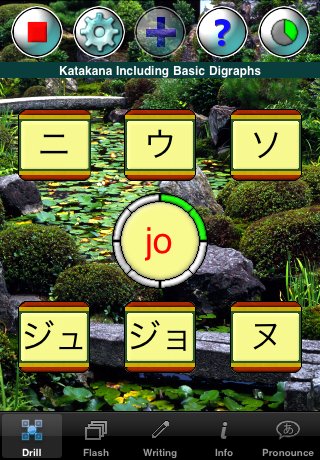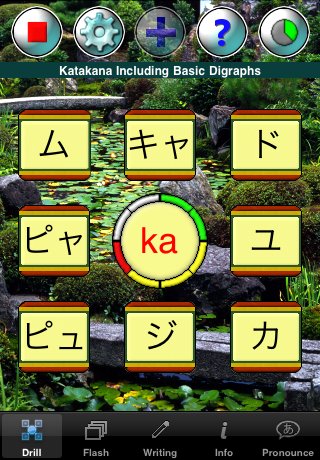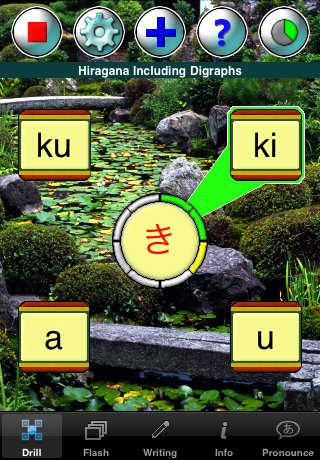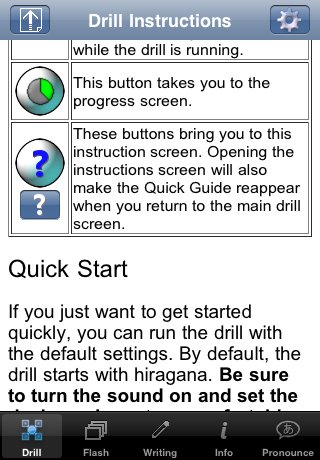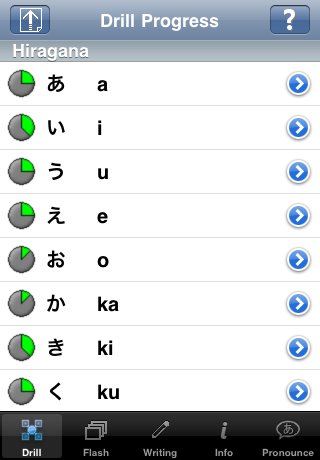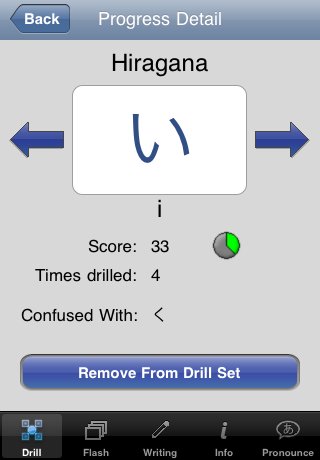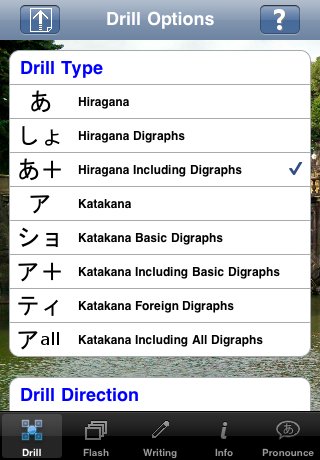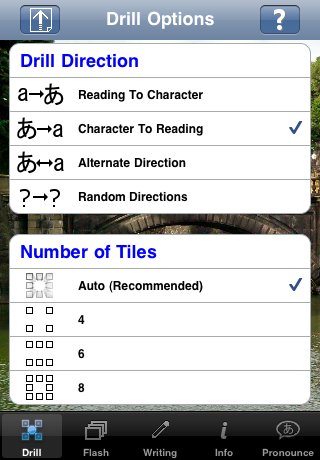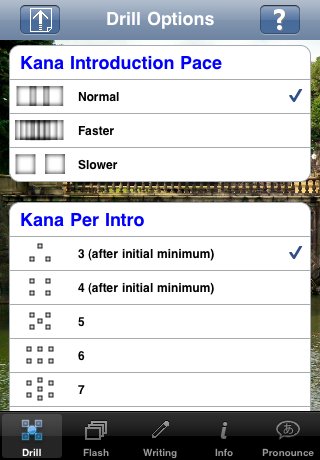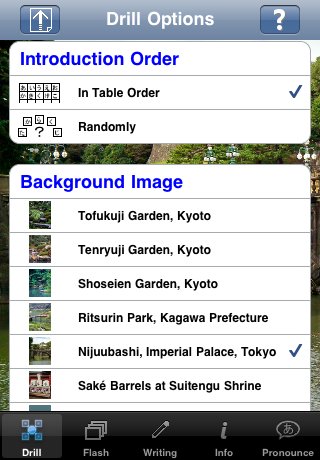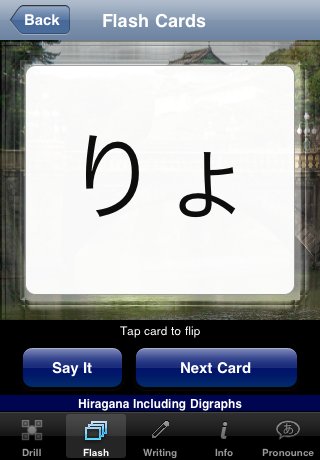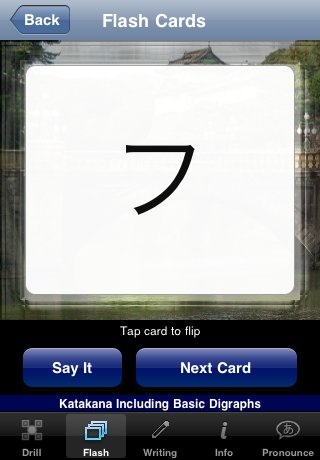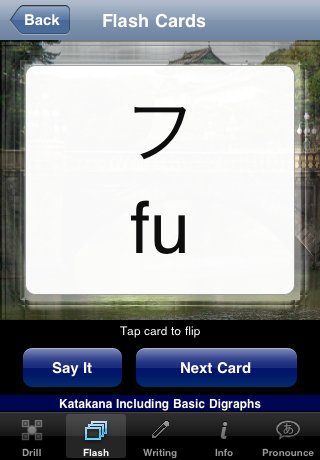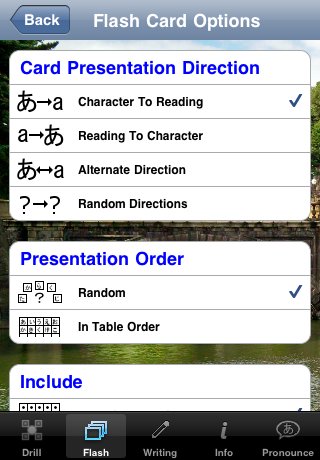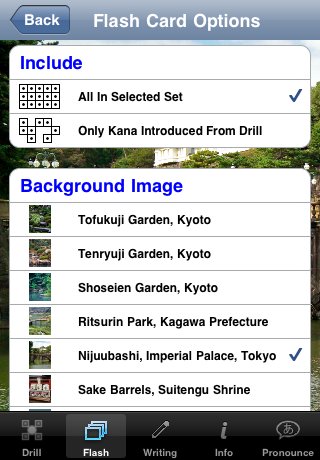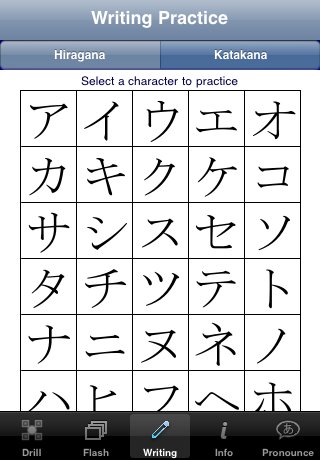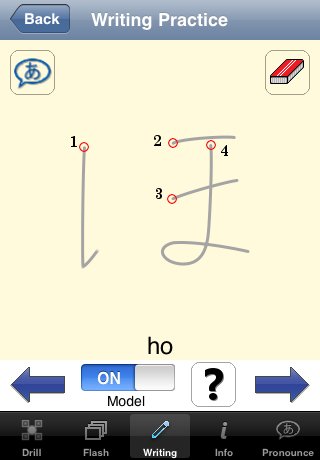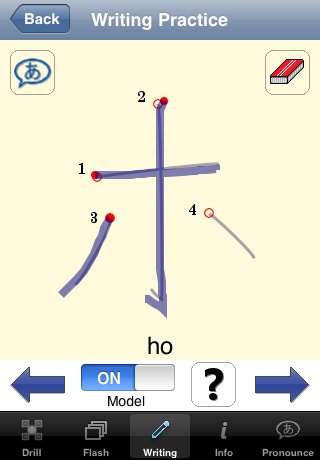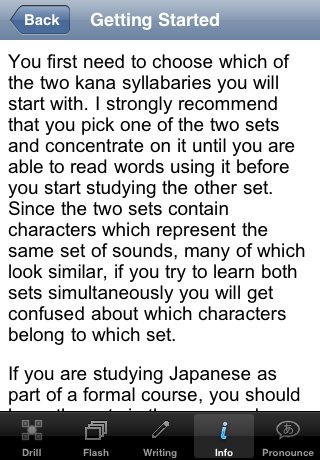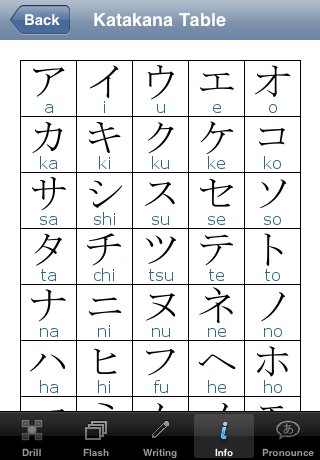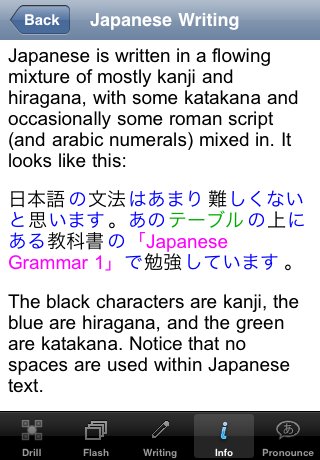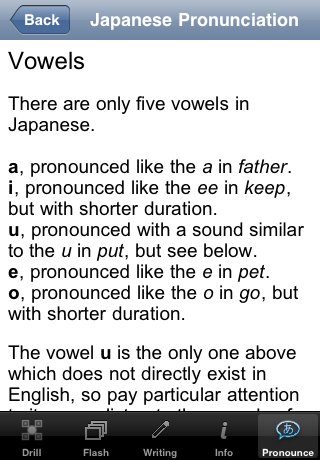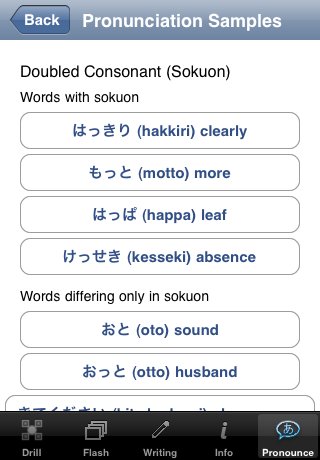
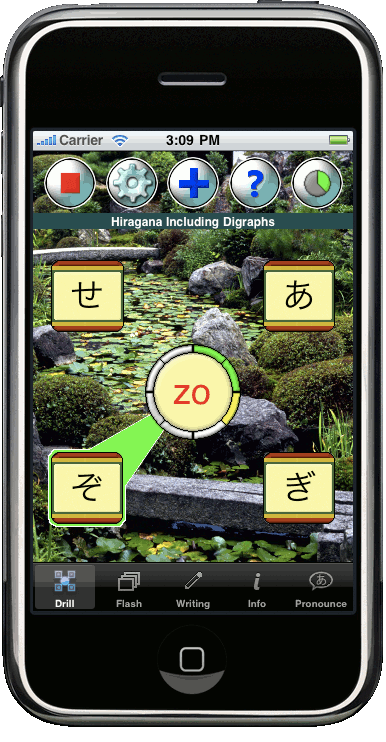
ÿþ<!DOCTYPE html PUBLIC "-//W3C//DTD XHTML 1.0 Transitional//EN" "http://www.w3.org/TR/xhtml1/DTD/xhtml1-transitional.dtd"> <html xmlns="http://www.w3.org/1999/xhtml"> <head> <meta http-equiv="Content-type" content="text/html;charset=utf-8" /> <title>Kana Complete</title> <style type="text/css"> <!-- /* Style Definitions */ p {margin-right:0pt; text-indent:0pt; margin-top:0pt; margin-bottom:1em; font-family:Arial, Sans Serif; font-size:1.0em; color:white; text-align:left; } h1 {margin-right:0pt; text-indent:0pt; margin-top:0pt; margin-bottom:8pt; font-family:Arial Black, Arial, Sans Serif; font-size:3.0em; color:white; text-align:center; } h2 {margin-right:0pt; text-indent:0pt; margin-top:0pt; margin-bottom:8pt; font-family:Arial Black, Arial, Sans Serif; font-size:2.0em; color:white; text-align:center; } ol {margin-top:1em; margin-bottom:1em; margin-left:0in;} ul {margin-top:1em; margin-bottom:1em; margin-left:0in;} li {margin-bottom:6pt;} body { background-color:#112222; } #page { text-align: left; margin: 0 auto; padding: 20px 20px 20px 20px; position: relative; width: 900px; //background-color:#556655; background-color:#47746A; } * html #page { width: 900px } /* IE hack */ div.intro{ padding: 20px 20px 20px 20px; font-family:Arial, Sans Serif; font-size:1.0em; color:white; text-align:left; font-weight:bold; margin-bottom: 40px; } div.feature { //background-color:#334433; background-color:#224444; padding: 20px 20px 20px 20px; font-family:Arial, Sans Serif; font-size:1.0em; color:white; text-align:left; border-style:solid; border-width:2px; margin-top:0pt; margin-bottom:40pt; } #navbar { background-color:#334433; padding: 5px 5px 5px 5px; font-family:Arial, Sans Serif; font-size:1.0em; color:white; text-align:left; border-style:solid; border-width:2px; margin-top:0pt; margin-bottom:40pt; position:absolute; left: 620px; top: 50px; width: 270px; height: 180px; } #iphonepic { float:left; width:386px; height:742px; margin-top:0pt; margin-bottom:0pt; margin-left:-20pt; margin-right:30pt; } img.screenshot { width:320px; height:460px; margin-top:10pt; margin-bottom:10pt; margin-left:10pt; margin-right:10pt; } div.screenexp { float:left; width:350px; //background-color:#FF2211; margin-top:10pt; margin-bottom:10pt; margin-left:25pt; margin-right:20pt; } div.screengroup { //background-color:#FF2211; margin-top:10pt; margin-bottom:10pt; margin-left:10pt; margin-right:10pt; } #inscreengroup { width:320px; height:460px; margin-top:10pt; margin-bottom:10pt; margin-left:35pt; margin-right:30pt; } p.underpic { padding-left:20px; padding-right:12px; font-weight:bold; } a:link {color:#FFFFFF; margin-right:0pt; text-indent:0pt; margin-top:0pt; margin-bottom:1em; font-family:Arial, Sans Serif; font-size:1.0em; text-align:left; } /* unvisited link */ a:visited {color:#FFFFFF} /* visited link */ a:hover {color:#AABBAA} /* mouse over link */ a:active {color:#AABBAA} /* selected link */ --> </style> </head> <body> <a id="Top"></a> <div id="page"> <img style="float:left;" src="Title.png" alt="Kana Complete" /> <img style="float:left;" src="IconRounded.png" alt="Kana Complete Icon" /> <div style="margin-top:40px;"> <a href="http://itunes.apple.com/WebObjects/MZStore.woa/wa/viewSoftware?id=334567279&mt=8"><img src="App_Store_Badge_EN.png" alt="Buy Now" border="0" /></a> </div> <p style="height:0; clear:both">&nbsp;</p> <div class="intro"> <img id="iphonepic" src="kanakanzen_iphone.gif" alt="Kana Complete Running on iPhone" /> <div> <!-- style="padding-left:400px" --> <p>Kana Complete is a complete solution to help you master reading and writing the two Japanese kana syllabaries hiragana and katakana. Learning kana is an important stepping stone on the path to Japanese literacy. The ability to read kana will open up a world of new study and reference materials to you that are closed to anyone limited to romanized Japanese. And besides that, it's fun!</p> <p>At a price competitive with apps offering less than a third of the functionality, Kana Complete provides you a feature-rich learning experience, including:</p> <ul> <li>A fun, dynamic drill which will help you recognize kana, learn their sounds with a native speaker, and track your progress in recognizing them. Choose one of several beautiful Japanese scenic backgrounds to keep you calm and focused.</li> <li>Flashcards for when you want to slow down and take time to study kana one by one.</li> <li>Learning to write kana using the proper stroke order and the shape of <span lang="en-US" style="font-style:italic;font-weight:bold;language:en-US">natural</span> written forms. Kana Complete's writing models are based on the way Japanese actually write kana, not on kana fonts which are quite different. Learning to write kana is one of the best ways to remember how to read them.</li> <li>Lots of detailed information about Japanese writing, and how kana is actually used as part of writing Japanese. No other kana app in the store has this kind of guide.</li> <li>Hiragana and Katakana tables complete with native speaker pronunciation: tap the kana, hear the sound.</li> <li>A comprehensive Japanese pronunciation guide with many speech samples to highlight important pronunciation concepts. Learn what you need to know to sound good in Japanese.</li> </ul> <p>More than just learning kana, Kana Complete will help you master the sounds of Japanese. Everywhere you go in Kana Complete, the native speaker is close at hand so you can hear the sound associated with each kana. Not only will this help you learn correct pronunciation, you will gain a proper understanding of the phonetic nature of kana, and this will help you to read words written in kana.</p> <p>Are you ready to take your first step on the path to Japanese fluency and literacy? With Kana Complete you can begin to read both hiragana and katakana in just a few weeks.</p> </div> <a id="Menu"></a> <h2 style="text-align:left;">Contents</h2> <ul> <!--a href="#Video">Videos</a><br/><br/ --> <a href="#Drill">Drill Screen Shots</a><br/><br/> <a href="#Flash">Flash Card Screen Shots</a><br/><br/> <a href="#Writing">Writing Practice Screen Shots</a><br/><br/> <a href="#Info">Info Section Screen Shots</a><br/><br/> <a href="#Pron">Pronunciation Guide Screen Shots</a> </ul> <p>&nbsp;</p> <div class="feature"> <h3>Printable PDF Kana Writing Practice Sheets</h2> <p><a href="Kana Complete Hiragana Practice v1.pdf">Hiragana ("Kana Complete Hiragana Practice v1.pdf")</a></p> <p><a href="Kana Complete Katakana Practice v1.pdf">Katakana ("Kana Complete Katakana Practice v1.pdf")</a></p> </div> </div> <!--a id="Video"></a> <p style="margin-bottom:2px"> <a style="color:white;text-align:left;font-size:1em;font-family: Arial, Sans Serif;" href="#Top">Back to Top</a> &nbsp;&nbsp;&nbsp; <a style="color:white;text-align:left;font-size:1em;font-family: Arial, Sans Serif;" href="#Menu">Back to Contents</a> </p> <div class="feature"> <h1>Videos: See it in action!</h1> <p>Coming soon!</p> </div --> <a id="Drill"></a> <p style="margin-bottom:2px"> <a style="color:white;text-align:left;font-size:1em;font-family: Arial, Sans Serif;" href="#Top">Back to Top</a> &nbsp;&nbsp;&nbsp; <a style="color:white;text-align:left;font-size:1em;font-family: Arial, Sans Serif;" href="#Menu">Back to Contents</a> </p> <div class="feature"> <h1>The Drill</h1> <p>The drill introduces kana to you a few at a time, and gives you fun, fast-paced practice with recognizing them. Every time you touch a kana, right or wrong, you hear the native speaker say the sound associated with it, so you learn kana the way you learned the alphabet, with constant repetition of symbol and sound. When you confuse one kana for another, the drill will make sure you see those two together until you learn to distinguish them.</p> <p>Using the drill is just like playing a game. You can pull it out whenever you have a little spare time, and easily stop whenever you need to do something else.</p> <div class="screenexp"> <img class="screenshot" src="01 Quick Guide.jpg" alt="Quick Guide" /> <p class="underpic">The Quick Guide on the drill screen rapidly familiarizes you with the drill controls and the parts of the app.</p> </div> <div class="screenexp"> <img class="screenshot" src="03 Drill Introduction.jpg" alt="Drill Introduction" /><br/> <p class="underpic">Kana are introduced prior to adding them into the drill set. You can control how many new kana are introduced each time. You can take as long as you like to study them before restarting the drill. When you tap each kana you can hear the native speaker pronounce it.</p> </div> <p style="clear:both">&nbsp;</p> <div class="screenexp"> <img class="screenshot" src="04 Drill Hira Start.jpg" alt="Drill Hira Start" /><br/> <p class="underpic">The drill presents a reading to you and asks you to find the kana with that reading out of a set of choices. The timer circle shows you how much time you have left.</p> </div> <div class="screenexp"> <img class="screenshot" src="05 Drill Hira Right.jpg" alt="Drill Hira Correct" /><br/> <p class="underpic">When you tap the correct answer you get a clear visual indication that ties the reading to the kana.</p> </div> <p style="clear:both">&nbsp;</p> <div class="screenexp"> <img class="screenshot" src="06 Drill Hira Timeout.jpg" alt="Drill Hira Timeout" /><br/> <p class="underpic">If you run out of time, the correct answer is revealed and you hear the native speaker repeat the pronunciation.</p> </div> <div class="screenexp"> <img class="screenshot" src="07 Drill Hira Wrong.jpg" alt="Drill Hira Incorrect" /><br/> <p class="underpic">When you tap an incorrect answer, you still hear the pronunciation of the kana you tapped, which presents another learning opportunity and helps you distinguish the characters.</p> </div> <p style="clear:both">&nbsp;</p> <div class="screenexp"> <img class="screenshot" src="08 Drill Kata.jpg" alt="Drill Kata" /><br/> <p class="underpic">The drill with katakana. You can choose to drill hiragana, katakana or one of several convenient subsets. </p> </div> <div class="screenexp"> <img class="screenshot" src="09 Drill Kata Six Tiles.jpg" alt="Drill Kata Six Tiles" /><br/> <p class="underpic">As your proficiency grows and more kana enter your drill set, the drill keeps you challenged by increasing the number of choices. This is under your control, however, and you can drill with four, six or eight tiles.</p> </div> <p style="clear:both">&nbsp;</p> <div class="screenexp"> <img class="screenshot" src="10 Drill Kata Eight Tiles.jpg" alt="Drill Kata Eight Tiles" /><br/> <p class="underpic">The drill with all eight tiles in play.</p> </div> <div class="screenexp"> <img class="screenshot" src="11 Drill Hira Reverse.jpg" alt="Drill Hira Reverse" /><br/> <p class="underpic">You also have the choice to reverse the drill. In this case you are given a kana and asked to find its reading. You can also alternate drill direction, or let the direction be picked randomly for more interest and variety.</p> </div> <p style="clear:both">&nbsp;</p> <div class="screenexp"> <img class="screenshot" src="19.1 Drill Instructions 2.jpg" alt="Drill Instructions" /><br/> <p class="underpic">Comprehensive, clear instructions help you to use the drill effectively.</p> </div> <div class="screenexp"> <img class="screenshot" src="20 Drill Progress.jpg" alt="Drill Progress" /><br/> <p class="underpic">Your progress is tracked, and the progress screen gives you a clear visual indication on how you are doing with each kana.</p> </div> <p style="clear:both">&nbsp;</p> <div class="screenexp"> <img class="screenshot" src="21 Drill Progress Detail.jpg" alt="Drill Progress Detail" /><br/> <p class="underpic">The progress detail screen gives you additional information such as what kana you have confused for others. you can also directly control which kana are in your drill set.</p> </div> <p style="clear:both">&nbsp;</p> <div class="screengroup"> <h2>Drill Options</h2> <p style="text-align:center">The drill has many options which let you customize how it works.</p> </div> <div class="screenexp"> <img class="screenshot" src="15 Drill Options 1.jpg" alt="Drill Options 1" /><br/> <p class="underpic">Drill all hiragana or katakana, or choose various subsets.</p> </div> <div class="screenexp"> <img class="screenshot" src="16 Drill Options 2.jpg" alt="Drill Options 2" /><br/> <p class="underpic">Drill from kana to romaji reading, or romaji reading to kana. You can also alternate or randomize the direction. Choose the number of tiles from which to select the correct answer, or let the drill automatically pick an appropriate number.</p> </div> <p style="clear:both">&nbsp;</p> <div class="screenexp"> <img class="screenshot" src="17 Drill Options 3.jpg" alt="Drill Options 3" /><br/> <p class="underpic">Choose how fast new kana will be introduced to you as your ability improves. Choose how many new kana are introduced each time. </p> </div> <div class="screenexp"> <img class="screenshot" src="18 Drill Options 4.jpg" alt="Drill Options 4" /><br/> <p class="underpic">Choose whether kana are introduced in standard table order or in a random order. Select from six scenic background images or a plain background.</p> </div> <p style="clear:both">&nbsp;</p> <!-- 02 Drill Screen bg1.jpg 12 Drill Screen bg2.jpg 13 Drill Screen bg3.jpg 14 Drill Screen bg4.jpg --> </div> <a id="Flash"></a> <p style="margin-bottom:2px"> <a style="color:white;text-align:left;font-size:1em;font-family: Arial, Sans Serif;" href="#Top">Back to Top</a> &nbsp;&nbsp;&nbsp; <a style="color:white;text-align:left;font-size:1em;font-family: Arial, Sans Serif;" href="#Menu">Back to Contents</a> </p> <div class="feature"> <h1>Flash Cards</h1> <p>Flashcards are a time honored way to memorize almost anything, and they're one of the most popular devices for learning kana, too. Relax and study at your own pace with virtual stacks of kana flashcards. On any flashcard, you can hear native speaker pronounce the sound of the kana any time you like. The flashcards also have customizable options.</p> <div class="screenexp"> <img class="screenshot" src="21.1 Flash Card Menu.jpg" alt="Flash Card Menu" /> <p class="underpic">From the menu you can go to the options screen or select a set of kana flashcards.</p> </div> <div class="screenexp"> <img class="screenshot" src="22 Flash Card Hira 1.jpg" alt="Flash Card Hira Front" /><br/> <p class="underpic">Hiragana flash card front view. Tap the card to flip it over.</p> </div> <p style="clear:both">&nbsp;</p> <div class="screenexp"> <img class="screenshot" src="23 Flash Card Hira 2.jpg" alt="Flash Card Hira Back" /> <p class="underpic">Hiragana flash card back view. The "Say It" button allows you to hear the native speaker pronounce the kana.</p> </div> <div class="screenexp"> <img class="screenshot" src="24 Flash Card Kata 1.jpg" alt="Flash Card Kata Front" /><br/> <p class="underpic">Katakana flash card front view.</p> </div> <p style="clear:both">&nbsp;</p> <div class="screenexp"> <img class="screenshot" src="25 Flash Card Kata 2.jpg" alt="Flash Card Kata Back" /><br/> <p class="underpic">Katakana flash card back view.</p> </div> <div class="screenexp"> <img class="screenshot" src="21.2 Flash Card Options.jpg" alt="Flash Card Options 1" /><br/> <p class="underpic">Choose direction from kana to romaji reading or romaji reading to kana. You can also alternate or select direction randomly. Choose the order the cards are presented in, either in table order or randomly.</p> </div> <p style="clear:both">&nbsp;</p> <div class="screenexp"> <img class="screenshot" src="21.3 Flash Card Options 2.jpg" alt="Flash Card Options 2" /><br/> <p class="underpic">Choose to include all the kana in the set, or only the kana you have already seen during the drill. Select from six scenic background images or a plain background.</p> </div> <p style="clear:both">&nbsp;</p> </div> <a id="Writing"></a> <p style="margin-bottom:2px"> <a style="color:white;text-align:left;font-size:1em;font-family: Arial, Sans Serif;" href="#Top">Back to Top</a> &nbsp;&nbsp;&nbsp; <a style="color:white;text-align:left;font-size:1em;font-family: Arial, Sans Serif;" href="#Menu">Back to Contents</a> </p> <div class="feature"> <h1>Writing Practice</h1> <p>Practice writing kana anytime, anywhere right on the iPhone screen. Learning to write kana with correct stroke order and direction is very important, and also one of the best methods to truly master them. It will improve your reading recognition dramatically.</p> <p>Most Japanese fonts have shapes that are different from what kana look like when hand written, so other apps which base their writing exercises on fonts do not set you up to write properly. With Kana Complete, you can practice all of the basic character shapes with realistic hand-written models so you learn to write kana characters which look <span lang="en-US" style="font-style:italic;font-weight:bold;language:en-US">natural</span>.</p> <p>You can even turn the writing model off, and try to write the kana from memory. And, of course, the native speaker is right there whenever you want to hear the sound.</p> <div class="screenexp"> <img class="screenshot" src="26 Writing Table Hira.jpg" alt="Writing Table Hira" /> <p class="underpic">Navigate to the writing screen for any hiragana character by tapping it on the table.</p> </div> <div class="screenexp"> <img class="screenshot" src="27 Writing Table Kata.jpg" alt="Writing Table Kata" /><br/> <p class="underpic">Navigate to the writing screen for any katakana character by tapping it on the table.</p> </div> <p style="clear:both">&nbsp;</p> <div class="screenexp"> <img class="screenshot" src="28 Writing Table Quick Guide.jpg" alt="Writing Table Quick Guide" /> <p class="underpic">The Quick Guide for the writing screen helps you to use it to learn to write correctly.</p> </div> <div class="screenexp"> <img class="screenshot" src="29 Writing Hira Model.jpg" alt="Writing Hira Model" /><br/> <p class="underpic">The writing model for a hiragana character gives you proper stroke order and direction.</p> </div> <p style="clear:both">&nbsp;</p> <div class="screenexp"> <img class="screenshot" src="30 Writing Hira Traced.jpg" alt="Writing Hira Traced" /> <p class="underpic">Use your finger to trace the character on the screen, using the model to help you learn proper stroke order, stroke direction and shape.</p> </div> <div class="screenexp"> <img class="screenshot" src="31 Writing Kata Traced.jpg" alt="Writing Kata Traced" /><br/> <p class="underpic">Tracing on a katakana model.</p> </div> <p style="clear:both">&nbsp;</p> <div class="screenexp"> <img class="screenshot" src="32 Writing Kata Model Off.jpg" alt="Writing Kata Model Off" /> <p class="underpic">You can turn the model off to see your finished product, or to allow you to try to write the character from memory.</p> </div> <p style="clear:both">&nbsp;</p> </div> <a id="Info"></a> <p style="margin-bottom:2px"> <a style="color:white;text-align:left;font-size:1em;font-family: Arial, Sans Serif;" href="#Top">Back to Top</a> &nbsp;&nbsp;&nbsp; <a style="color:white;text-align:left;font-size:1em;font-family: Arial, Sans Serif;" href="#Menu">Back to Contents</a> </p> <div class="feature"> <h1>Information</h1> <p>Kana Complete has detailed articles on:</p> <ul> <li>How to get started learning kana and make best use of Kana Complete's many features</li> <li>What kana are, how they work, and how to easily remember their proper order</li> <li>How Japanese writing really works</li> <li>How hiragana is used in Japanese writing</li> <li>How katakana is used in Japanese writing</li> </ul> <p>It's like getting a mini-textbook in an app. No other app in the store has this kind of ready reference.</p> <div class="screenexp"> <img class="screenshot" src="33 Info Menu.jpg" alt="Info Menu" /> <p class="underpic">The Info section of the app has five detailed articles to help orient you in the world of Japanese writing and kana, and to help you make the best use you can of the app.</p> </div> <div class="screenexp"> <img class="screenshot" src="34 Info Getting Started.jpg" alt="Info Getting Started" /><br/> <p class="underpic">The Getting Started article helps you pick which syllabary to start with, and gives you tips on how to make the best use of the app's features.</p> </div> <p style="clear:both">&nbsp;</p> <div class="screenexp"> <img class="screenshot" src="35 Info Hiragana Table.jpg" alt="Info Hiragana Table" /> <p class="underpic">This is a full hiragana table, including dakuten (voiced) characters and digraph combinations (M0‡0, a0ƒ0, W0ƒ0, etc.). Tap any character to hear the native speaker pronounce it.</p> </div> <div class="screenexp"> <img class="screenshot" src="36 Info Katakana Table.jpg" alt="Info Katakana Table" /><br/> <p class="underpic">This is a full katakana table, including dakuten (voiced) characters and digraph combinations (­0ç0, Á0ã0, ·0ã0, etc.). Tap any character to hear the native speaker pronounce it</p> </div> <p style="clear:both">&nbsp;</p> <div class="screenexp"> <img class="screenshot" src="37 Info About Kana.jpg" alt="Info About Kana" /> <p class="underpic">This article tells you all about how kana work and how to remember their order.</p> </div> <div class="screenexp"> <img class="screenshot" src="38 Info About Japanese Writing.jpg" alt="Info About Japanese Writing" /><br/> <p class="underpic">This article gives you an introduction to Japanese writing in general, and tells you how kana fit within that system.</p> </div> <p style="clear:both">&nbsp;</p> </div> <a id="Pron"></a> <p style="margin-bottom:2px"> <a style="color:white;text-align:left;font-size:1em;font-family: Arial, Sans Serif;" href="#Top">Back to Top</a> &nbsp;&nbsp;&nbsp; <a style="color:white;text-align:left;font-size:1em;font-family: Arial, Sans Serif;" href="#Menu">Back to Contents</a> </p> <div class="feature"> <h1>Pronunciation Guide</h1> <p>The detailed pronunciation guide tells you everything you need to know to more effectively listen to and imitate native speakers and speak correctly in Japanese. You will learn important facts about:</p> <ul> <li>Vowels and the importance of vowel length to meaning</li> <li>Consonant sounds that differ from English</li> <li>Vowel devoicing</li> <li>Doubled consonant (sokuon)</li> <li>Pitch accent</li> </ul> <p>Native speaker audio samples accompany each section, clearly demonstrating each of the concepts presented in the text.</p> <div class="screenexp"> <img class="screenshot" src="39 Pron Menu.jpg" alt="Pron Menu" /> <p class="underpic">This section includes detailed articles on pronunciation that not only help you pronounce Japanese, but help you to understand what you are listening to as well. Each article has an accompanying samples section with native speaker examples illustrating the concepts presented.</p> </div> <div class="screenexp"> <img class="screenshot" src="40 Pron Vowels Article.jpg" alt="Pron Vowels Article" /><br/> <p class="underpic">This article helps you understand the vowel sounds used in Japanese and to understand the important concept of short vowels and long vowels which are important to meaning in Japanese.</p> </div> <p style="clear:both">&nbsp;</p> <div class="screenexp"> <img class="screenshot" src="41 Pron Vowels Samples.jpg" alt="Pron Vowels Samples" /> <p class="underpic">The samples page accompanying the vowel samples article. Tap each button to hear the native speaker sample.</p> </div> <div class="screenexp"> <img class="screenshot" src="42 Pron Sokuon Samples.jpg" alt="Pron Sokuon Samples" /><br/> <p class="underpic">Another samples page, this one demonstrates the sounds of the doubled consonant, called <span style='font-style:italic;font-weight:bold;'>sokuon</span>.</p> </div> <p style="clear:both">&nbsp;</p> </div> <div style="height: 400px;">&nbsp;</div> </div> </body> </html>